Layering is the heart of digital painting. It gives artists the flexibility to build complex compositions, experiment with lighting, and make non-destructive changes. Whether you’re using Photoshop, Procreate, or Clip Studio Paint, mastering layer management is essential for taking your digital art to the next level.
What Are Layers in Digital Art?
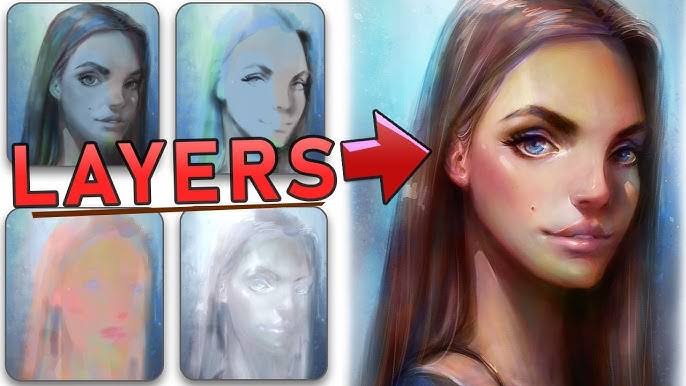
Think of layers like transparent sheets stacked on top of one another. Each layer holds a different part of your artwork—linework, colors, shadows, highlights—allowing you to adjust them separately without affecting the rest of the image.
Why Layering Matters
- Non-destructive editing: Make changes without altering the original content.
- Organized workflow: Keep background, character, and effects on separate layers.
- Depth and dimension: Control how elements interact using blend modes and opacity.
Step-by-Step: Using Layers Like a Pro
1. Set Up Base Layers
Create a background layer first. Then add your sketch on a new layer above it. Keep your sketch layer on low opacity (30–50%) to guide your line art.
2. Use Separate Layers for Line Art and Color
Keep your clean line art on its own layer. Create multiple layers underneath it for coloring—base colors, shadows, highlights, and texture.
3. Label and Group Your Layers
As your artwork grows, layers can pile up. Name each one (e.g., “hair highlights,” “jacket shadows”) and use folders or groups to stay organized.
4. Blend Modes for Magic
Use blend modes like Multiply for shadows, Overlay for lighting, and Screen for glow effects. This allows colors to interact in exciting ways.
5. Lock Transparency and Clip Layers
Lock transparency on a layer to paint only within existing strokes. Use clipping masks to paint shadows or highlights on top of base colors without crossing the lines.
Pro Tips
- Use adjustment layers: Tweak brightness, hue, or saturation without affecting the whole canvas.
- Merge cautiously: Merge only when you’re sure. Keep backup versions of your file.
- Experiment freely: Duplicate a layer before trying something risky like dramatic lighting changes.
Layering Exercise
Draw a simple digital character. Separate the artwork into at least five layers—line art, skin tone, clothing color, shading, and highlights. Use blend modes and clipping masks to refine each area. The goal is to practice control and build clean, editable artwork.
Want to Show Off Your Digital Skills?
Be part of a global art showcase! Head over to our Global Art Forms page to find a space for digital painters like you.
Ready to be featured? Submit your portfolio here and inspire others with your layering mastery.
For more expert techniques, check out our curated Art Books collection featuring digital art essentials and creative software guides.
 Worldwide Art Advocacy